
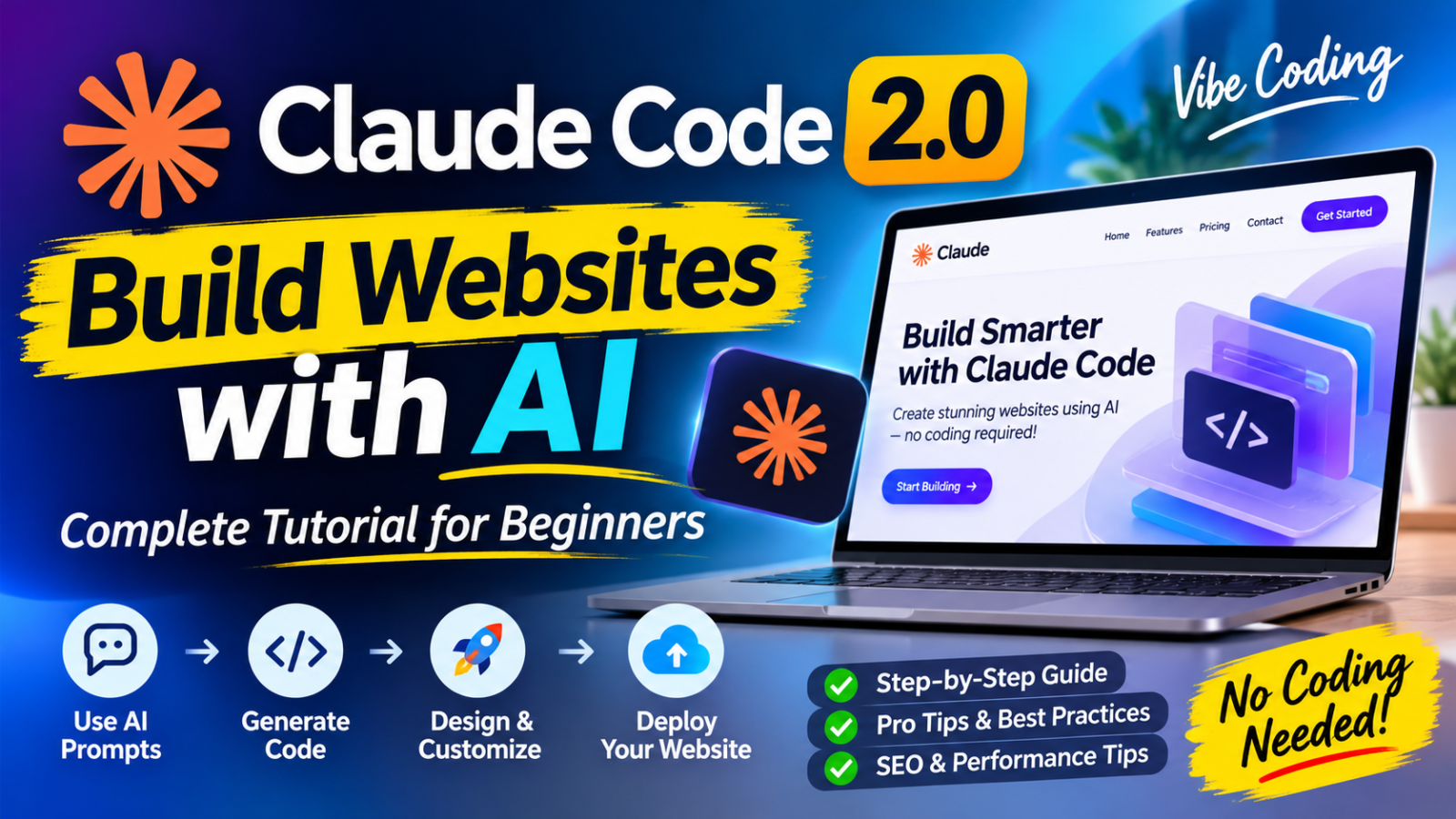
Artificial intelligence is changing the way websites are designed and developed. What once required a team of UI/UX designers, frontend developers, and several weeks of coding can now be accelerated with AI-powered development tools.
One of the tools attracting attention in this space is Claude Code 2.0 by Anthropic. It offers an AI-assisted coding workflow that allows users to describe what they want to build in natural language and work with AI to create, modify, and improve websites.
Whether you are a beginner exploring AI website development, a freelancer looking to speed up projects, or an experienced developer interested in a more efficient workflow, Claude Code can help streamline different stages of website creation.
In this guide, we will explore Claude Code 2.0 features, how to build a website using AI prompts, how to improve website visuals with Higgsfield, and how to prepare your project for deployment.
What Is Claude Code 2.0?
Claude Code is an AI-powered coding assistant developed by Anthropic. It can understand project files, write and edit code, troubleshoot errors, and help developers manage complex development tasks.
Instead of manually writing every line of HTML, CSS, and JavaScript, users can describe a website’s requirements and ask Claude Code to implement them.
The Claude Code 2.0 workflow highlighted in the recent website-building demonstration focuses on making development more interactive and flexible.
Some of its highlighted capabilities include:
- Nested Sessions and Side Chats: Work on secondary tasks without interrupting the main development workflow.
- Split-View Functionality: Manage coding and design-related tasks in a more organized workspace.
- Rollback Checkpoints: Return to an earlier project state when an experimental change does not work.
- Prompt-Based Customization: Describe website layouts, colors, typography, animations, and functionality using natural language.
- AI Visual Integration: Incorporate custom images, animations, and other creative assets into website projects.
These capabilities can make iterative website development more manageable, although users should still review generated code and test their projects.
Related Reading: Latest Claude AI Updates
Anthropic continues to expand its AI ecosystem with new tools, coding capabilities, productivity features, and advanced AI models. If you want to explore the latest developments, read our detailed coverage of the Top 5 Claude AI News in October 2026: Major Updates You Should Know, including important announcements that are shaping the future of AI-powered development and productivity.
Why Use Claude Code for Website Development?
Traditional website development involves multiple stages, including planning, wireframing, UI design, frontend development, testing, and deployment.
Claude Code can assist with several of these activities, reducing repetitive coding work and helping developers move from an idea to a working prototype faster.
Here are some important benefits.
1. Build Websites Using Natural Language Prompts
One of the most useful aspects of AI-assisted development is the ability to explain your requirements instead of manually coding every component.
For example, you can ask Claude Code:
“Create a modern SaaS landing page with a clean white background, purple gradient accents, a bold hero section, pricing cards, customer testimonials, and a responsive navigation menu.”
Claude Code can use these instructions to generate or modify the project’s code.
The more specific your instructions are, the easier it becomes to achieve a result that matches your expectations.
2. Experiment With Different Website Layouts
Website design is rarely perfect on the first attempt.
You may want to change the hero section, adjust the spacing, experiment with typography, or introduce new interactive elements.
An AI-assisted workflow allows you to request these modifications conversationally.
For example:
“Make the hero section more minimal. Reduce unnecessary content, increase the headline size, improve the spacing, and make the primary CTA more visible.”
You can then review the result and request additional improvements.
3. Roll Back Changes and Experiment Safely
A useful feature highlighted in the Claude Code 2.0 website workflow is rollback checkpoints.
When experimenting with different layouts or code modifications, having the ability to return to an earlier state can make the process less stressful.
This is particularly useful when testing major design changes.
However, rollback checkpoints should not replace proper version control. Using Git and maintaining project backups is still recommended.
Step 3.1: Ready-to-Use Claude Code Website Building Prompt (Copy & Test)
Want to build your own professional website using Claude Code? You don’t need to start from scratch. Use the detailed prompt below to generate a modern, responsive business website.
This prompt is designed to help beginners experiment with AI website development while giving Claude Code clear instructions about design, layout, functionality, and SEO.
Copy the complete prompt below and paste it into Claude Code:
Complete AI Website Development Prompt
Act as a senior UI/UX designer, frontend developer,
and SEO specialist.

I want you to build a complete, modern, professional,
responsive business website from scratch.

PROJECT:
Create a premium digital agency website that offers
web design, UI/UX design, branding, and AI solutions.

1. DESIGN DIRECTION
- Create a premium, modern SaaS-style design.
- Use a clean white background with dark navy text.
- Use purple and blue gradients for highlights.
- Maintain generous whitespace.
- Use modern typography and strong visual hierarchy.
- Create attractive cards with subtle shadows.
- Use smooth transitions and subtle animations.
- Avoid clutter and unnecessary content.
- Make the design look professionally handcrafted.

2. WEBSITE STRUCTURE

Create the following sections:

A. NAVIGATION
- Professional logo on the left.
- Home, Services, About, Portfolio, Contact links.
- Prominent Get Started CTA button.
- Responsive mobile navigation menu.

B. HERO SECTION
- Large attention-grabbing headline.
- Supporting description.
- Primary and secondary CTA buttons.
- Professional visual illustration on the right.
- Subtle background gradient.
- Clear content hierarchy.

C. SERVICES
Create four service cards:
- Website Design
- UI/UX Design
- Branding & Identity
- AI-Powered Solutions

Each card should include an icon, title,
short description, and relevant link.

D. ABOUT SECTION
- Introduce the agency.
- Explain its experience and approach.
- Include supporting visual elements.
- Add a Learn More button.

E. PORTFOLIO
- Display six professional project cards.
- Include project thumbnails.
- Add project titles and categories.
- Create attractive hover interactions.

F. WHY CHOOSE US
- Highlight expertise.
- Explain the design process.
- Include quality and performance benefits.
- Use clean icon-based layouts.

G. TESTIMONIALS
- Create three realistic placeholder testimonials.
- Include client names and company placeholders.
- Do not present fictional testimonials as real reviews.

H. CALL TO ACTION
- Add a visually strong CTA section.
- Include a Let's Talk button.
- Use a contrasting background.

I. CONTACT SECTION
- Name field.
- Email field.
- Subject field.
- Message field.
- Submit button.
- Display placeholder contact information.

J. FOOTER
- Logo and short company description.
- Quick navigation links.
- Social media placeholders.
- Copyright information.

3. RESPONSIVE DESIGN
- Desktop, tablet, and mobile layouts.
- Mobile-first responsive behavior.
- No horizontal overflow.
- Proper image scaling.
- Mobile-friendly navigation.
- Readable typography on every screen.

4. INTERACTIONS
- Functional navigation links.
- Working mobile menu.
- Smooth scrolling.
- Interactive buttons.
- Hover effects.
- Form validation.
- Accessible keyboard interactions.

5. SEO OPTIMIZATION
- Add a unique page title.
- Write an SEO meta description.
- Use one clear H1 heading.
- Maintain proper H2 and H3 hierarchy.
- Add descriptive image alt text.
- Use semantic HTML.
- Include Open Graph metadata.
- Create a clean URL structure.
- Add relevant structured data where appropriate.

6. TECHNICAL REQUIREMENTS
- Use a suitable modern frontend stack.
- Prefer React and Tailwind CSS.
- Create reusable components.
- Keep code clean and organized.
- Optimize images and assets.
- Avoid unnecessary dependencies.
- Ensure accessible color contrast.
- Use proper component naming.

7. PERFORMANCE
- Optimize loading performance.
- Avoid unnecessary animations.
- Use lazy loading for below-the-fold images.
- Minimize layout shifts.
- Follow Core Web Vitals best practices.

8. FINAL INSTRUCTIONS
- First inspect the project folder.
- Explain the implementation plan briefly.
- Build the complete website.
- Do not stop after creating a basic homepage.
- Run the project and check for errors.
- Fix any broken layouts or interactions.
- Review desktop, tablet, and mobile versions.
- Do not use lorem ipsum.
- Use professional placeholder content.
- Make sure all major sections are implemented.

The final result should look like a premium digital
agency website designed by an experienced UI/UX team.
How to Test This Prompt
Follow these simple steps:
- Open Claude Code and create a new project folder.
- Start Claude Code in your project directory.
- Copy the complete website prompt above.
- Paste it into Claude Code and allow it to inspect and modify your project.
- Follow any setup or dependency installation instructions.
- Run the website locally and review the generated design.
- Ask Claude Code to improve any sections that need attention.
Pro Tip: Don’t expect the perfect website from your first prompt. Try follow-up instructions such as “Make the hero section more premium,” “Reduce the content in each section,” or “Improve the mobile layout and spacing.”
This iterative process is where AI-assisted website development becomes particularly useful.
Important: Claude Code generates and modifies code, but you should review the implementation, test functionality, and verify security before publishing your website. Some features, such as contact forms and authentication, may require external services or backend configuration.
You can experiment with this prompt, customize the colors and content, and create completely different website concepts without changing the overall workflow.
How to Build a Website With Claude Code 2.0: Step-by-Step Guide
Let’s explore a practical workflow for creating a professional website with Claude Code.
Step 1: Define Your Website Requirements
Before opening Claude Code, decide what type of website you want to create.
It could be:
- A business website
- A SaaS landing page
- A personal portfolio
- An eCommerce website
- A blog or online publication
- A startup website
Prepare a short project brief containing your website’s purpose, target audience, brand identity, preferred colors, important sections, and required functionality.
For example, if you are creating a digital marketing agency website, your brief could include:
- Homepage with a strong hero section
- About the agency
- Services and pricing
- Portfolio or case studies
- Client testimonials
- Contact form
- Mobile-responsive navigation
A clear brief helps AI understand the project’s overall direction.
Step 2: Set Up Claude Code
Visit the official Claude Code documentation to understand installation and setup requirements.
Official resource: https://docs.anthropic.com/en/docs/claude-code/getting-started
Claude Code can be used through supported development environments and terminal based workflows.
After installation:
- Open your terminal or supported development environment.
- Navigate to your website project folder.
- Start Claude Code and complete authentication.
- Allow it to inspect the project structure.
- Provide your website requirements.
Beginners should start with a small project before attempting a complex website with multiple pages and backend functionality.
Step 3: Create Your Website Design With AI Prompts
This is where your design direction becomes important.
Instead of simply asking Claude to create a beautiful website, provide specific visual instructions.
A useful prompt should explain:
- Website purpose and target audience
- Layout and content hierarchy
- Color palette and typography
- Navigation structure
- Button styles and interactions
- Responsive behavior
- Image and illustration requirements
Example website design prompt:
“Build a premium technology company website using a modern SaaS design approach. Use a clean layout, dark navy typography, subtle blue gradients, generous white space, and a strong visual hierarchy. Include a responsive navigation bar, an engaging hero section, product features, customer testimonials, pricing, and a contact section. Use consistent spacing, reusable components, accessible contrast, and responsive layouts for mobile, tablet, and desktop.”
Once the initial website is generated, review the result and provide additional instructions to improve individual sections.
Step 4: Improve Website Visuals With Higgsfield
Visual content plays an important role in modern website design.
A website can have excellent functionality but still look unprofessional if its images, illustrations, and animations are poorly selected.
Higgsfield is an AI creative platform that can help users generate images and videos for different visual projects.
Official website: https://higgsfield.ai/
You can explore AI-generated creative assets for:
- Website hero backgrounds
- Product visuals
- Brand imagery
- Marketing banners
- Animated backgrounds
- Creative promotional sections
For example, a travel website could use custom destination imagery, animated maps, and visual storytelling elements.
After generating suitable assets, incorporate them into your website project and ask Claude Code to position and optimize them appropriately.
Remember that large images and unnecessary animations can affect loading speed. Compress images and use optimized formats wherever possible.
Step 5: Add Website Interactions and Functionality
A professional website needs more than an attractive appearance.
It should also provide a smooth user experience.
Ask Claude Code to implement features such as:
- Responsive navigation menus
- Interactive buttons
- Contact forms
- Smooth scrolling
- Hover effects
- Animated transitions
- Pricing toggles
- Functional navigation links
For more complex features, such as user authentication, payment processing, databases, and admin dashboards, carefully review the generated implementation.
Never assume that a visually working form is automatically connected to a functioning backend.
Test every important feature before publishing.
Step 6: Optimize the Website for SEO and Performance
Creating a website is only one part of the process. Making it discoverable through search engines is equally important.
Ask Claude Code to help implement essential SEO elements.
These include:
- Unique SEO titles and meta descriptions
- Proper H1, H2, and H3 heading structure
- Descriptive URLs
- Image alt attributes
- Internal linking
- XML sitemap
- Robots.txt configuration
- Canonical URLs
- Structured data where appropriate
- Mobile-friendly layouts
You should also check website performance using Google PageSpeed Insights:
Google recommends monitoring Core Web Vitals, including:
- Largest Contentful Paint (LCP)
- Interaction to Next Paint (INP)
- Cumulative Layout Shift (CLS)
For a good user experience, Google’s recommended thresholds are LCP within 2.5 seconds, INP below 200 milliseconds, and CLS below 0.1.
Read the official guide: https://developers.google.com/search/docs/appearance/core-web-vitals
Remember that AI-generated SEO settings do not guarantee search rankings. Quality content, useful information, technical accessibility, and a good user experience remain important.
Step 7: Deploy Your Website
After completing development and testing, the next step is publishing your website.
You can use platforms such as:
- Vercel
- Netlify
- Railway
- Other compatible hosting providers
A common deployment workflow involves connecting your project to GitHub, configuring the hosting environment, and publishing the production build.
Vercel documentation: https://vercel.com/docs
Before deployment, make sure you have:
- Tested the website on desktop and mobile.
- Checked all navigation links and buttons.
- Verified contact forms and integrations.
- Optimized images and other assets.
- Checked SEO metadata.
- Reviewed security settings and environment variables.
- Confirmed that the production build works correctly.
Once the website is live, continue monitoring its performance and fixing issues.
Claude Code 2.0 for Freelance Designers and Web Developers
AI-powered website development is also creating new opportunities for freelance designers and developers.
UI/UX designers can use Claude Code to explore working prototypes, test design concepts, and collaborate more effectively with development workflows.
However, AI does not eliminate the need for professional design skills.
A successful website still requires an understanding of:
- User experience and customer journeys
- Visual hierarchy
- Typography and color theory
- Responsive design
- Accessibility
- Conversion-focused layouts
- Design systems and reusable components
For businesses that need a professionally designed website rather than a generic AI-generated template, working with an experienced freelance UI/UX designer can make a significant difference.
Recommended Freelance UI/UX Designer: Zeeshan Tejani
If you are looking for professional UI/UX design, website redesign, SaaS interfaces, landing pages, or Figma design systems, consider connecting with Zeeshan Tejani, a freelance UI/UX designer with over 10 years of experience.
His experience includes website design, SaaS platforms, dashboards, responsive interfaces, and design systems.
Explore his portfolio and freelance services: Zeeshan Tejani – Freelance UI/UX Designer
Two Recommended YouTube Tutorials to Learn Claude Code Website Development
Watching practical demonstrations can make it easier to understand how AI-assisted website development works.
Here are two useful tutorials worth exploring.
1. AI Foundations – Build AMAZING Websites Using Claude Code!
This detailed tutorial walks through building a website with Claude Code, setting up a design direction, developing website pages, and deploying the finished project.
It also explores how to add functionality such as contact forms and an admin dashboard.
Watch on YouTube: https://www.youtube.com/watch?v=TTeMU5iOE84
2. Agrici Daniel – How to Build a Website with Claude Code in 2026
This tutorial demonstrates a complete website-building workflow, starting with an empty project and progressing through website creation, SEO auditing, deployment, and search engine indexing.
It is particularly useful for people interested in the connection between AI website development and SEO.
Watch on YouTube: https://www.youtube.com/watch?v=UywcPcSOKsA
Is Claude Code 2.0 Better Than Traditional Website Development?
Claude Code offers an alternative approach to website development, but it does not make traditional development skills unnecessary.
For simple landing pages, portfolio websites, and early-stage prototypes, AI-assisted coding can significantly accelerate the process.
For larger applications involving complex business logic, security requirements, databases, and integrations, experienced developers are still important.
The most effective approach is combining AI automation with human expertise.
Designers can guide the visual direction, developers can review the technical implementation, and AI can assist with repetitive coding and iteration.
Frequently Asked Questions About Claude Code 2.0
1. Can beginners build a website using Claude Code 2.0?
Yes. Beginners can describe their website requirements using natural language and use Claude Code to generate and modify code. However, some understanding of website structure, testing, and deployment is helpful.
2. Can Claude Code build a complete website without coding?
Claude Code can generate much of the code required for a website, but users still need to provide instructions, review the output, configure integrations, and test the finished project.
3. Can Claude Code create responsive websites?
Yes. You can instruct Claude Code to create layouts that adapt to desktop, tablet, and mobile screens. Always test the final website on different screen sizes.
4. Can I use Higgsfield with Claude Code?
Higgsfield can be used as a creative tool for generating website visuals, images, and video assets. The generated assets can then be incorporated into a website project. The exact integration workflow depends on the available tools and configuration.
5. Is Claude Code suitable for freelance web designers?
Yes. It can help designers prototype ideas, experiment with layouts, and collaborate with developers. However, professional UI/UX skills remain important for delivering high-quality results.
6. Can Claude Code optimize websites for Google?
It can assist with technical SEO implementation, metadata, heading structure, and performance improvements. However, it cannot guarantee Google rankings. Content quality, relevance, indexing, backlinks, and user experience also matter.
7. Where can I host a website built with Claude Code?
Depending on the technology used, you can deploy websites through services such as Vercel, Netlify, and Railway.
Final Thoughts
Claude Code 2.0 represents an interesting direction for AI-assisted website development. By combining natural-language prompts, iterative coding, visual assets, and deployment workflows, it can make website creation more accessible and help experienced professionals work more efficiently.
However, the best results come from combining AI capabilities with human creativity, professional design judgment, technical knowledge, and proper testing.
Whether you are building your first portfolio, launching a startup website, or creating client projects, learning how to use AI coding assistants can become a valuable skill in modern web development.
The future of website creation is not necessarily AI replacing designers and developers. It is professionals learning how to use AI effectively to build better digital experiences.
