
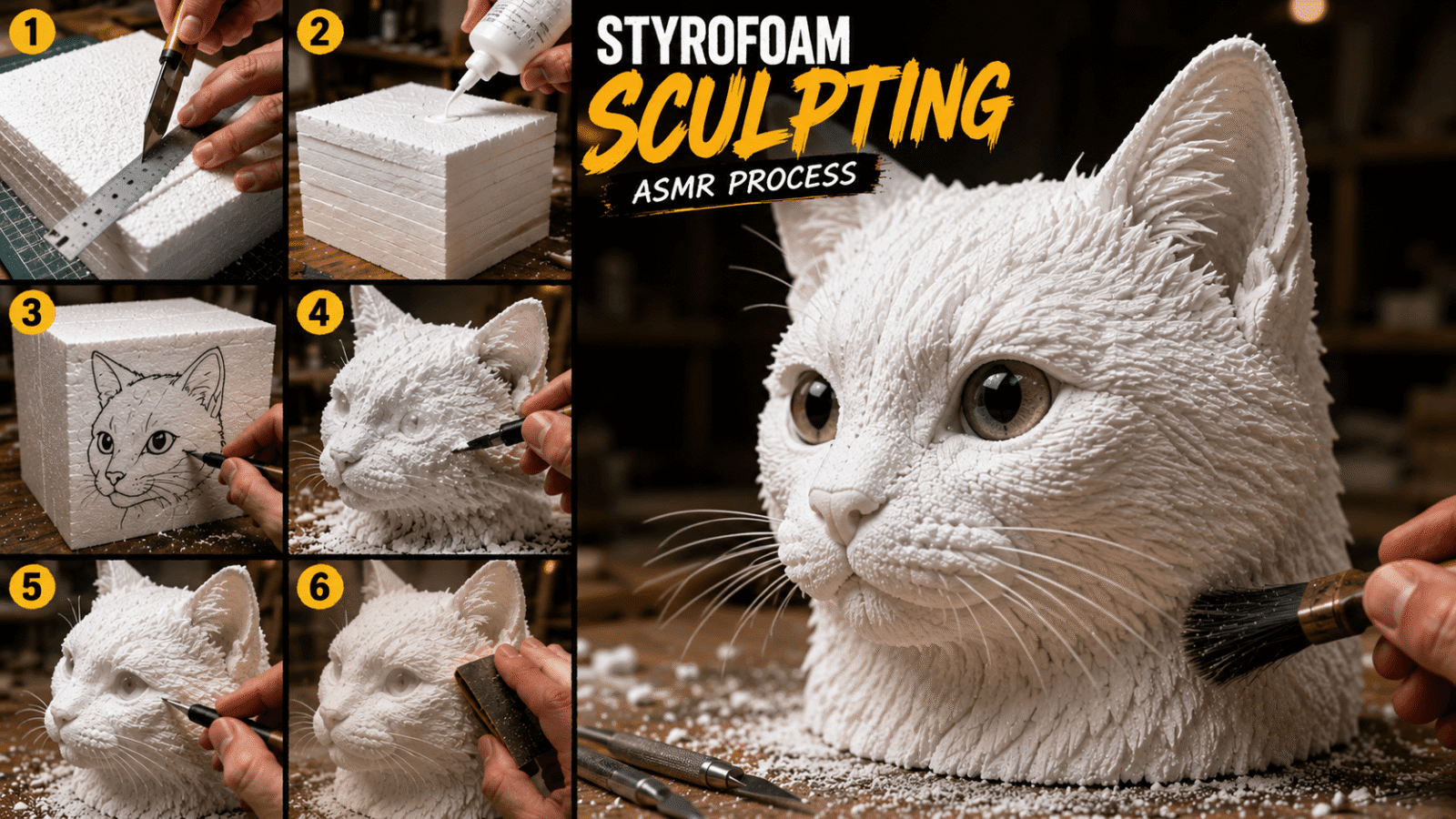

AI-generated ASMR carving videos are trending hard on YouTube Shorts, TikTok, and Reels and one of the most satisfying styles right now is the styrofoam sculpture carving prompt. A pair of hands slowly turns a plain foam block into a detailed 3D figure, using tools like utility knives, scalpels, and sandpaper. Creators no longer need a real workshop; a well written prompt fed into tools like Sora, Kling, Runway, or Luma does the job.
Why This Style Works
ASMR thrives on repetitive, tactile actions cutting, scraping, brushing. Combine that with a clear step-by-step tutorial format and cinematic close up visuals, and you get a format built for high watch time and strong reach.
Copy This Prompt
A realistic close-up ASMR video capturing the step-by-step crafting process of a detailed styrofoam sculpture.

Subject: If an image is provided, use the exact subject/character shown in the reference image. Otherwise, carve a [OBJECT / reference image subject].

Sequence & Actions:
1. Hands measure and cut white styrofoam blocks using a utility knife and ruler.
2. White glue is applied to stack and bond multiple blocks together into a thick cube.
3. A black marker draws a clean outline of [OBJECT / reference image subject] onto the side.
4. Sharp craft knives shave down, carve out, and shape the styrofoam to reveal the 3D form.
5. Fine detailing using scalpels for precise textures, followed by sandpaper smoothing, adding glass eyes, and brushing off styrofoam dust.

Visual Style: High-definition 4K, crisp top-down and macro close-up camera angles, natural warm workshop lighting, realistic material textures, and crisp ASMR tactile audio focus.
Why This Prompt Structure Works
- Subject line defines what’s being carved, with room to swap in a reference image.
- Numbered action sequence mirrors a real tutorial, helping the AI keep logical continuity between steps.
- Visual style tags resolution, camera angle, and lighting keywords push the output toward a cinematic look.
- Audio cue mentioning “ASMR tactile audio” nudges audio-capable models to emphasize scraping and brushing sounds.
Customizing It
Swap the subject to fit trending niches a cat, a dog, a fox, an owl, a food shape, or an abstract figure while keeping the five step sequence intact. That structure is what makes the video feel like a real tutorial.
Quick Tips
- Name exact tools (utility knife, scalpel, sandpaper) for more realistic results.
- Use a reference image when your AI tool supports it.
- Keep the numbered step format it improves sequence consistency.
- Always specify camera angle and lighting for that premium ASMR feel.
- Test the same prompt across Sora, Kling, and Runway to see which renders best.
Save this prompt template and swap the subject line to build out an entire library of AI ASMR carving content.
