
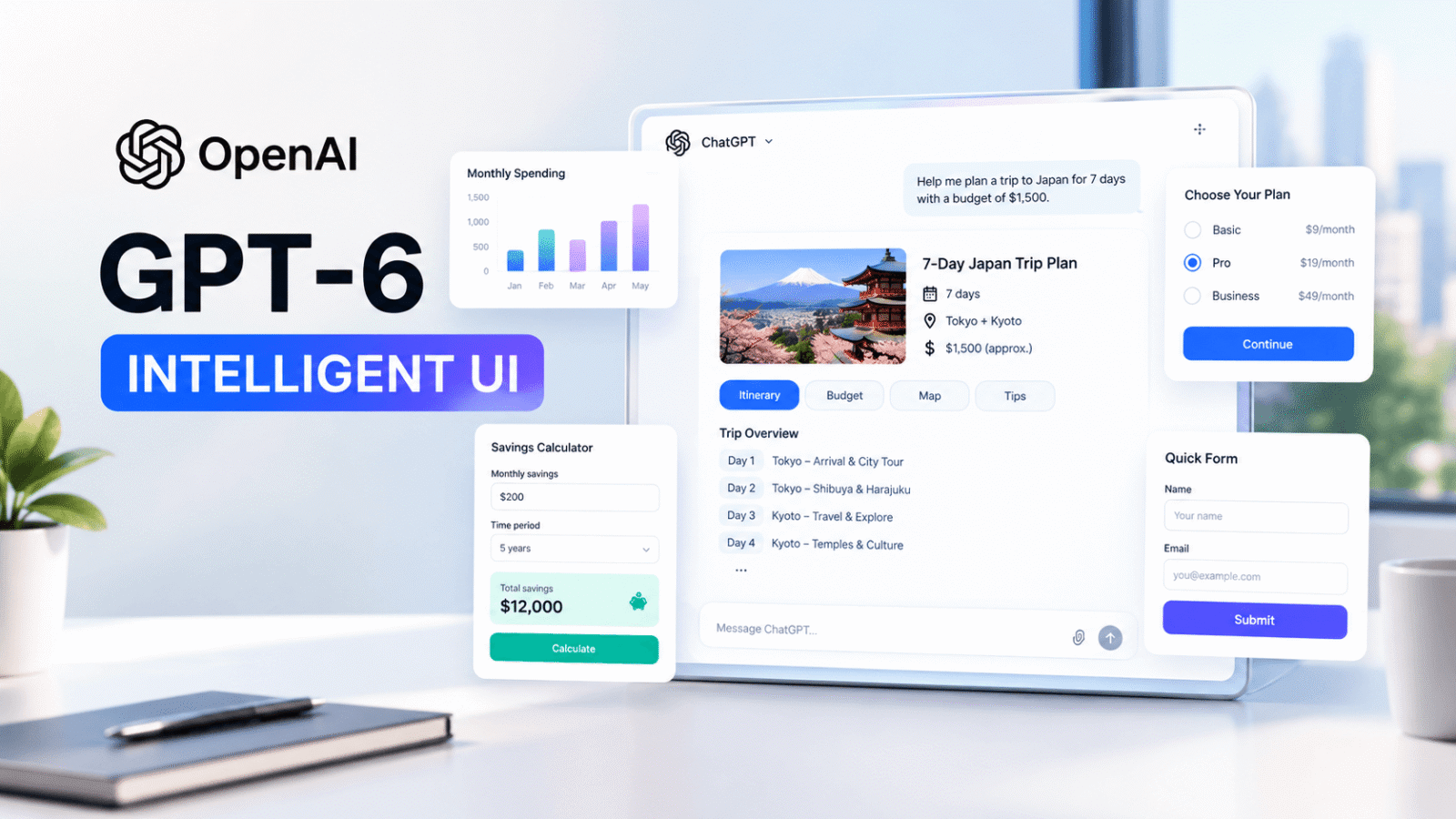
OpenAI has introduced GPT-6 Intelligent UI, a new ChatGPT experience that can turn ordinary answers into interactive, visual experiences. Announced on October 7, 2026, the update allows ChatGPT to combine text, graphics, charts, buttons, forms, and interactive tools in a single response.
Instead of reading long text answers, users can explore diagrams, adjust calculator settings, compare options, and interact with information directly inside a conversation. The goal is to make ChatGPT more useful for everyday tasks, learning, planning, and problem-solving.
But what is GPT-6 Intelligent UI, how does it work, and who can use it? Here is everything you need to know about OpenAI’s latest ChatGPT update.
What Is GPT-6 Intelligent UI?
GPT-6 Intelligent UI is a feature that allows ChatGPT to present information in different formats based on a user’s question. Rather than relying only on written text, ChatGPT can create visual and interactive responses when they are more helpful.
For example, if you ask ChatGPT to compare two products, it might display a side-by-side comparison. If you need help understanding a difficult topic, it could create a diagram. For practical tasks, it can generate an interactive calculator or a bill-splitting tool.
According to OpenAI’s official announcement, GPT-6 chooses how to organize each response based on the question and the type of information the user needs.
In simple terms, GPT-6 Intelligent UI makes ChatGPT more interactive by allowing users to do things with answers instead of simply reading them.
GPT-6 Intelligent UI: Key New Features
The update introduces several features that can change how people use ChatGPT in their daily lives.
1. Interactive Charts and Graphics
ChatGPT can now present information using graphics, charts, and diagrams when a visual explanation is more useful than plain text.
For example, a student learning about economics might receive a visual explanation of how GDP works. Someone comparing products could see the differences presented in an easier to understand format.
These visual responses can help users understand information without reading lengthy explanations.
2. Custom Calculators and Interactive Tools
One of the most useful GPT-6 new features is the ability to create small tools directly inside a conversation.
Users can ask ChatGPT to create tools such as:
- A bill splitter for sharing restaurant expenses.
- A savings calculator to explore different financial goals.
- A simple game that can be played inside the chat.
- Interactive experiences that help explain a topic or complete a task.
These tools can make ChatGPT more practical for everyday activities. Users can describe what they need and interact with the resulting experience without having to switch between multiple applications.
3. Buttons, Forms, and Interactive Responses
GPT-6 Intelligent UI can include tappable buttons, forms, and other interactive elements.
These features can make it easier to refine an answer, compare choices, or provide information for a specific task.
For example, when planning an activity, users may be able to interact with options instead of repeatedly typing follow-up questions.
The exact format depends on the request, so not every answer will contain interactive elements.
4. Easier Learning and Problem-Solving
Students, teachers, researchers, and professionals may benefit from visual explanations of complicated subjects.
Instead of receiving only a written description, users can explore an interactive explanation, adjust inputs, and observe how the results change.
This approach may be useful for mathematics, science, economics, photography, and other subjects where visual learning can make difficult ideas easier to understand.
5. Faster and More Dynamic Responses
OpenAI also says GPT-6 can begin answering while it continues thinking or using tools. This means users may start reading an answer before the entire response is complete.
The interface can also appear progressively as ChatGPT generates it, rather than waiting for every component to be ready.
This can make conversations feel more responsive, particularly when an answer includes several visual or interactive elements.
How Does GPT-6 Intelligent UI Work?
GPT-6 Intelligent UI combines the model’s ability to understand a request with a library of interface components.
When a user asks a question, ChatGPT determines whether text, graphics, charts, buttons, forms, or a combination of these formats would be most useful.
For example, a question about saving money might work best with a calculator. A request to understand a scientific concept might benefit from a diagram. A simple factual question may still receive a short text response.
OpenAI explains that the system uses reusable interface components and a process that allows the interface to appear as the model generates it.
The important point is that users do not need to write code or manually design an interface to request these experiences. They can describe the task in everyday language.
GPT-6 Intelligent UI Availability: Who Can Use It?
OpenAI announced the global rollout of GPT-6 Intelligent UI on October 7, 2026.
According to the official announcement, the rollout began with paid ChatGPT plans and expanded to Free and Go plans the following day.
| ChatGPT plan | Intelligent UI availability |
|---|---|
| Free | Rolling out from October 8, 2026 |
| Go | Rolling out from October 8, 2026 |
| Plus | Rolling out from October 7, 2026 |
| Pro | Rolling out from October 7, 2026 |
| Business | Rolling out from October 7, 2026 |
| Enterprise | Rolling out from October 7, 2026, subject to workspace settings |
GPT-6 Intelligent UI
Who Can Use It?
Availability by ChatGPT plan
*Enterprise availability may depend on workspace settings. Rollout timing can vary by account.
Source: OpenAI
GPT-6 Sol powers the Chat experience for Plus, Pro, Business, and Enterprise users, while GPT-6 Luna powers it for Free and Go users.
Availability may vary depending on account access, workspace settings, and the application being used. OpenAI’s announcement applies to the Chat experience; it does not change the models powering Work and Codex.
For the latest details, visit the official OpenAI Intelligent UI announcement or the OpenAI Help Center.
How to Use GPT-6 Intelligent UI in ChatGPT
Getting started is straightforward. You can describe the task you want to complete in the ChatGPT conversation.
Follow these steps:
- Open ChatGPT and start a conversation.
- Ask a question or describe a task in simple language.
- Explain what you want to create, compare, calculate, or learn.
- Explore the visual response or interact with the available controls.
- Ask a follow-up question if you want to adjust or expand the result.
Here are some prompts you can try:
- For learning: “Explain how inflation works using an interactive diagram.”
- For budgeting: “Create a calculator to help me plan my monthly savings.”
- For comparisons: “Compare two smartphones in a clear, side-by-side format.”
- For everyday tasks: “Create a bill splitter for four people with different meal costs.”
You do not need a special command to activate Intelligent UI. ChatGPT decides how to present the answer based on your request.
Why GPT-6 Intelligent UI Matters for the Future of AI
GPT-6 Intelligent UI represents a shift in how people interact with AI assistants. Traditionally, users asked questions and received written answers. With interactive responses, ChatGPT can also help people explore information and complete specific tasks.
This development could be useful in several areas:
Education: Students can explore visual explanations and learn difficult concepts more easily.
Business: Professionals can compare options, understand data, and create simple tools for everyday work.
Personal productivity: Users can organize plans, calculate expenses, and work through decisions in one conversation.
Software and user experience: Interactive responses could make some everyday tasks easier without requiring users to open a separate application.
However, Intelligent UI does not mean every task can be completed without other software. Its usefulness depends on the question, the available features, and the accuracy of the generated response.
To understand how OpenAI’s AI models are evolving, explore our coverage of GPT-6 Astra and its key features. It provides additional context on OpenAI’s model developments and the growing capabilities of AI assistants.

Frequently Asked Questions (FAQs)
What is GPT-6 Intelligent UI?
GPT-6 Intelligent UI is a ChatGPT feature that combines text with visual and interactive elements, including charts, graphics, buttons, forms, and tools.
If you are new to artificial intelligence, understanding common AI terms can help you make better use of these features. Read our beginner-friendly guide to AI terms explained simply to learn the basic concepts behind modern AI tools.
Is GPT-6 Intelligent UI available for free?
Yes. OpenAI announced its rollout to Free and Go users starting October 8, 2026. Actual access may depend on account availability and supported features.
Do I need a special prompt to use Intelligent UI?
No. You can describe your task naturally. ChatGPT chooses an appropriate response format when interactive elements are useful.
Can GPT-6 create interactive tools?
Yes. Examples include bill splitters, savings calculators, and simple games that users can interact with inside a conversation.
Does every ChatGPT answer include graphics?
No. ChatGPT can still provide a simple text answer when that is the most useful format. The interface depends on the question.
What is the difference between GPT-6 and Intelligent UI?
GPT-6 is the AI model powering the Chat experience, while Intelligent UI is the capability that lets ChatGPT organize answers into visual and interactive experiences.
Final Thoughts
GPT-6 Intelligent UI makes ChatGPT more than a place to ask questions and read answers. It introduces a more interactive way to learn, compare information, plan activities, and create small tools directly within a conversation.
With availability expanding across ChatGPT plans, the update could make AI easier to use for students, professionals, businesses, and everyday users.
The biggest change is simple: instead of adapting every task to a fixed interface, users can describe what they need and let ChatGPT shape the response around that task.
As OpenAI continues developing this experience, GPT-6 Intelligent UI will be worth watching as part of the broader shift toward more interactive and helpful AI assistants.
